
Skip to main content
How Can We Help?
Create Your First Experiment
Creating your first experiment is the first step toward understanding what works best for your website visitors.
With Bluvia, you can compare different versions of a page, element, or experience, measure how visitors respond, and use real data to improve conversions instead of relying on assumptions.
This guide walks you through creating and launching your first experiment.
Before You Begin
Before creating an experiment, make sure you have:
- The Bluvia WordPress Plugin installed and activated
- A page or post you’d like to optimize
- Administrator access to your WordPress website
If you’re using Bluvia Premium, make sure your website is connected to your Bluvia account.
Step 1: Open Bluvia
Log in to your WordPress Admin Dashboard.
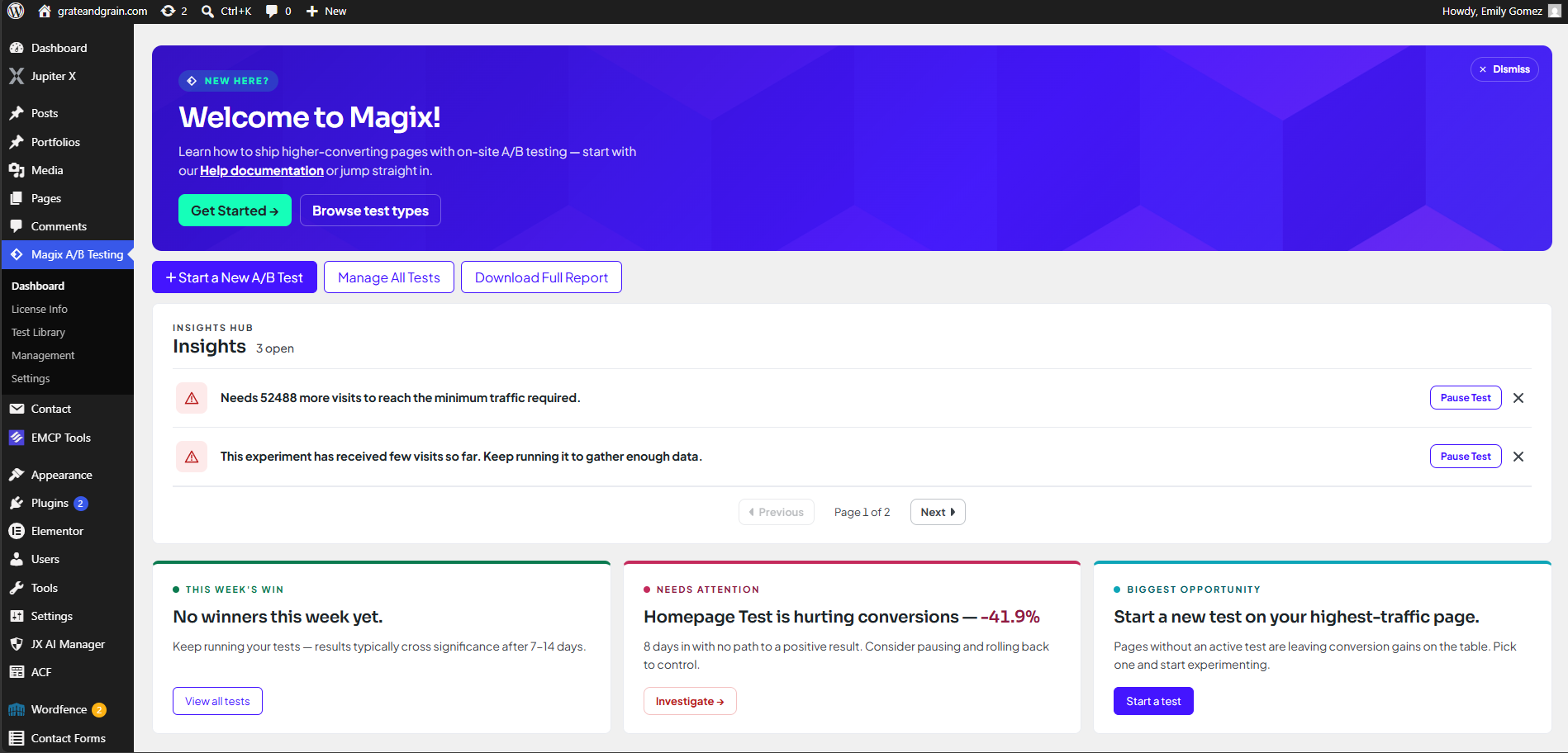
From the left navigation menu, select Bluvia A/B Testing to open the plugin.
You should now see the Bluvia Dashboard.
Step 2: Create a New Experiment
Click Start a New A/B Test to begin.
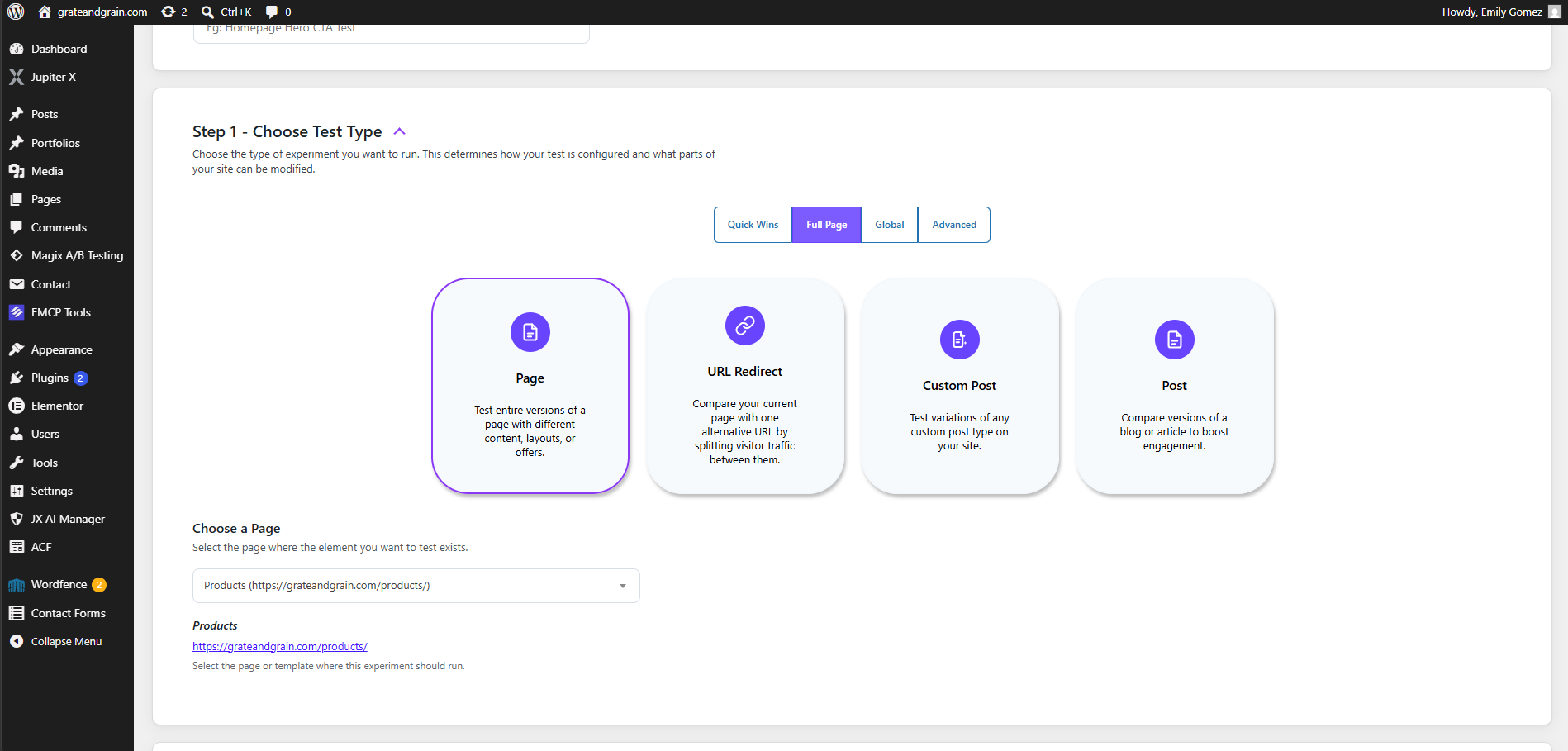
You’ll be prompted to configure your experiment by selecting the page you want to test and choosing the type of experiment you’d like to run.
Depending on your version of Bluvia, additional experiment types may also be available.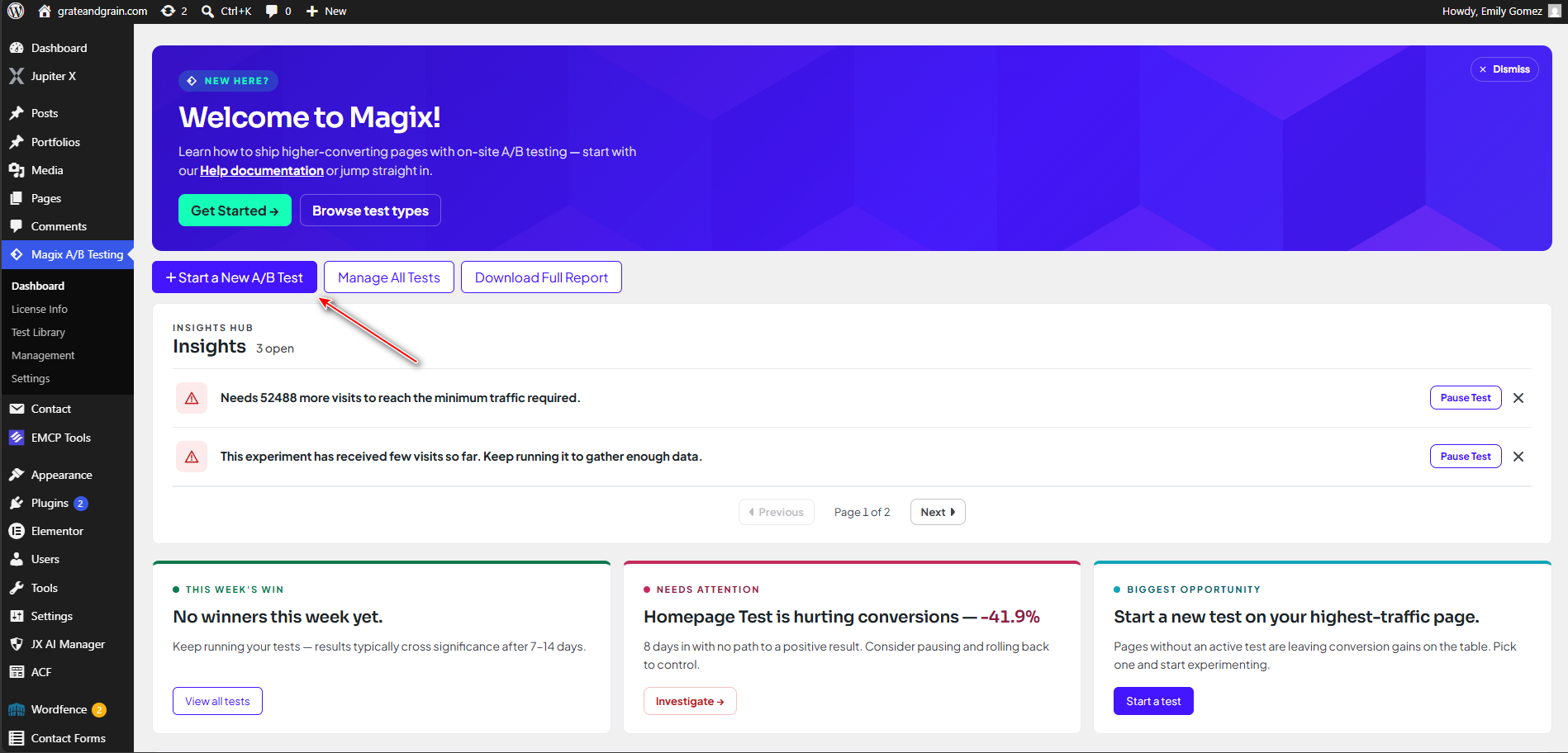
Step 3: Choose What to Test
Select the page, post, or other supported content you want to optimize.
When deciding what to test, consider areas that have the greatest impact on your visitors, such as:
- Headlines
- Call-to-action buttons
- Images
- Page layouts
- Product descriptions
- Forms
- Navigation
Start with a single hypothesis so it’s easier to understand what influenced the results.
For example:
Changing the call-to-action button text from “Learn More” to “Get Started” will increase button clicks.
Changing the call-to-action button text from “Learn More” to “Get Started” will increase button clicks.
Step 4: Create Your Variant
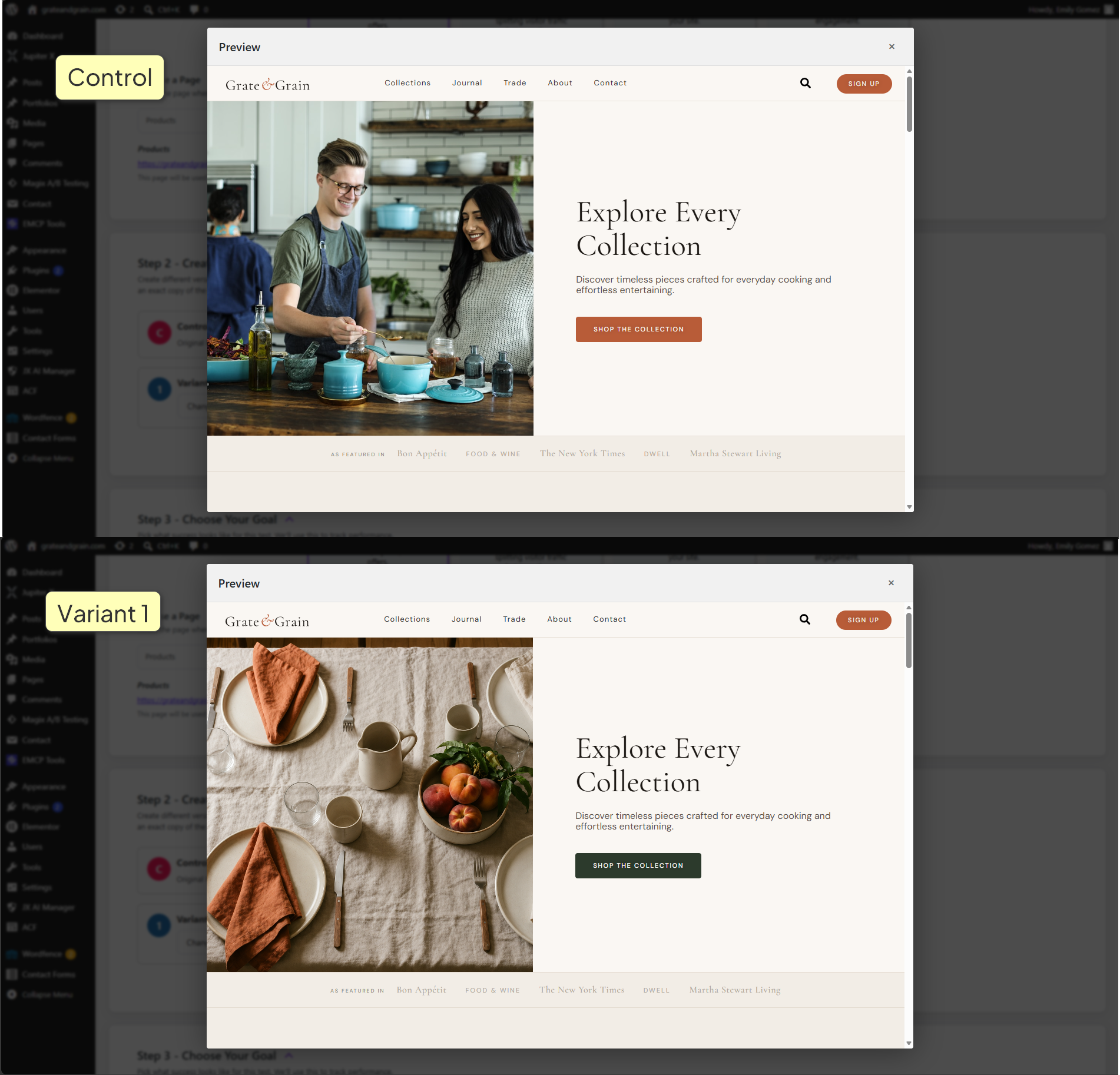
Next, create the variation you want to compare against your original content.
Your variant should contain the changes you want to measure while leaving everything else as consistent as possible.
Testing one meaningful change at a time makes it easier to understand why one version performs better than another.
Step 5: Choose Your Conversion Goal
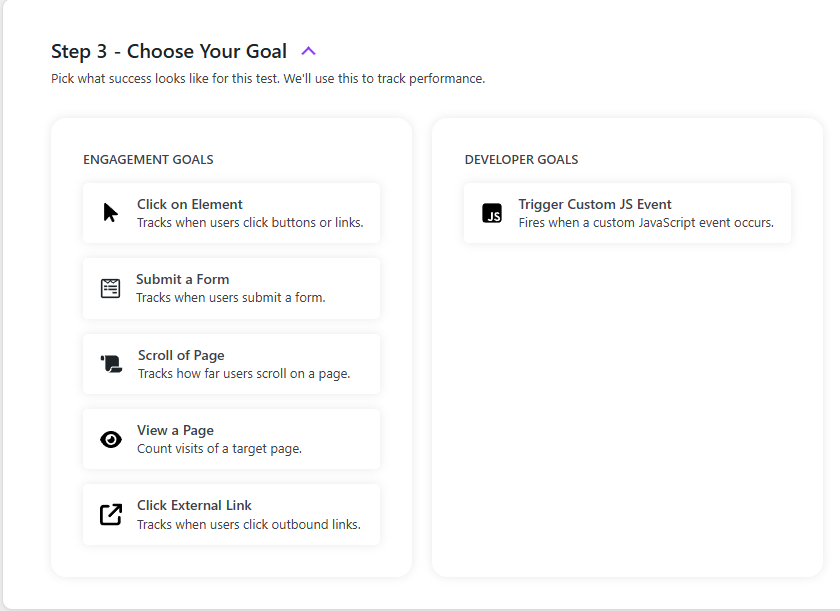
There are a few different Conversion goals for your test:
- Click on Element
- Submit a Form
- Scroll of Page
- View a Page
- Click External Link
- Trigger Custom JS Event
Pick what you want to measure as a win for your page.
Step 6: Configure Your Experiment
Review your experiment settings before launching. The default options are meant to provide the most accurate test results.
Depending on the type of experiment you’re creating, you’ll configure options such as:
- Targeting rules
- Scheduling (Premium)
- Traffic allocation
- Exclusion rules
- Additional experiment settings
- Notes & hypothesis
Some of these settings can be adjusted later if needed.
Step 7: Launch Your Experiment
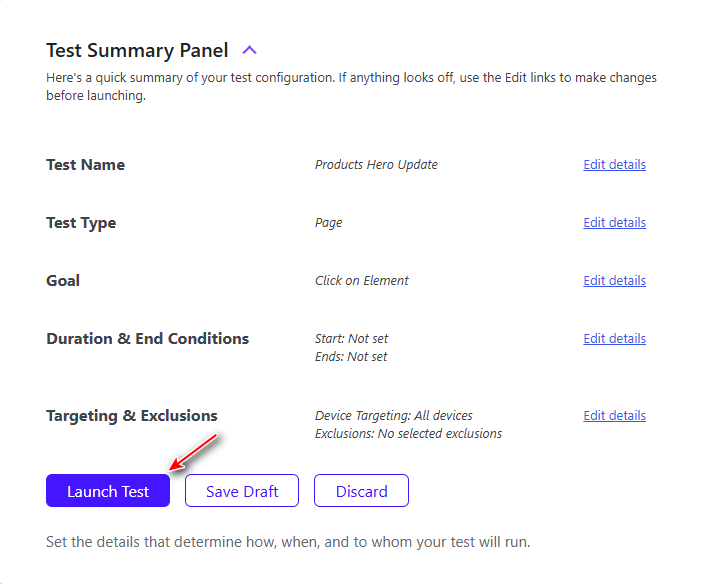
Once everything looks correct, click Launch Test.
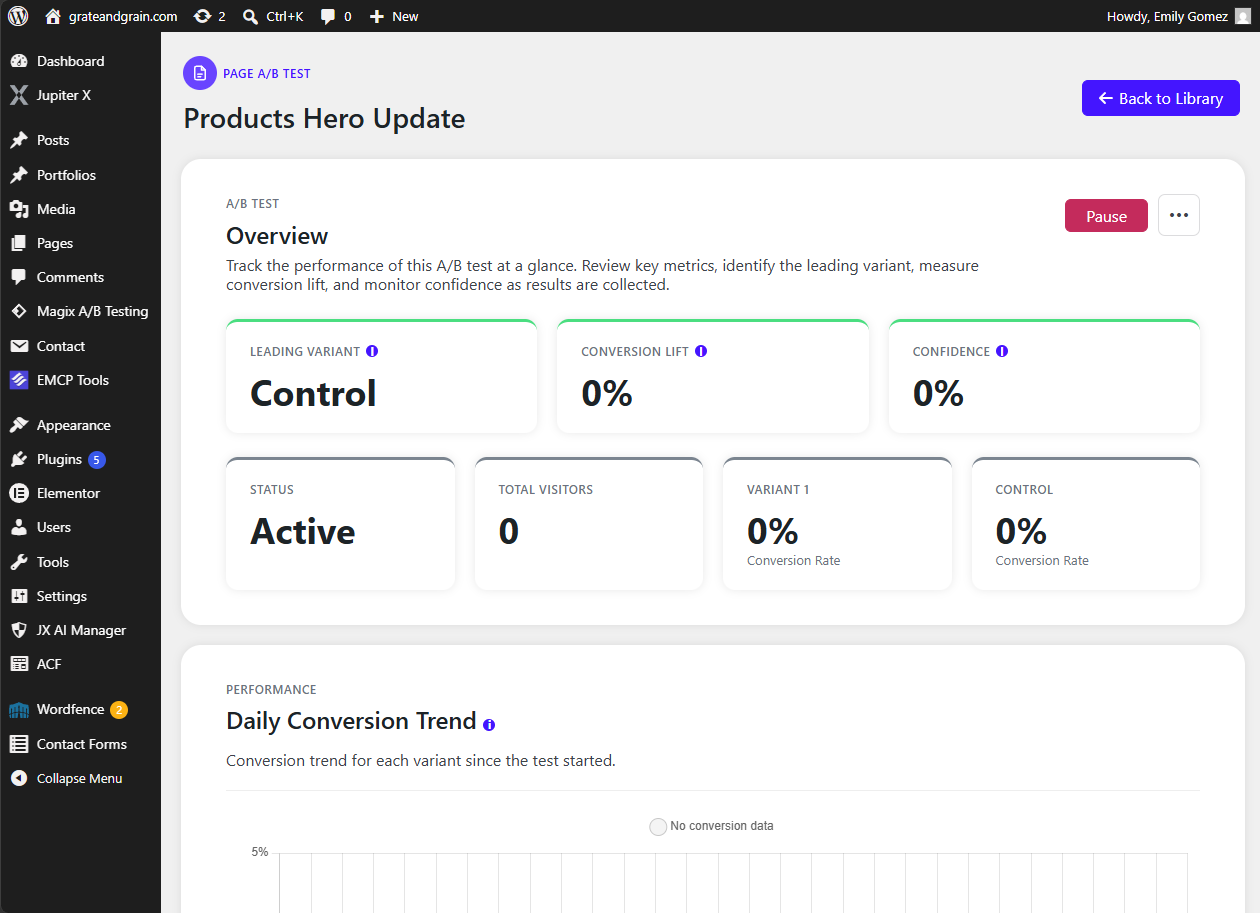
Bluvia will begin serving your experiment to visitors and collecting performance data automatically.
As visitors interact with your website, Bluvia records the information needed to compare each variation and determine which performs best.
What Happens Next?
After your experiment is running, there’s nothing else you need to do immediately.
Continue allowing visitors to interact with your website while Bluvia collects data.
Avoid making significant changes to the page during an active experiment, as doing so may affect your results.
Tips for Better Experiments
For the best results:
- Test one primary idea at a time.
- Choose pages with consistent visitor traffic.
- Allow experiments to gather enough data before making decisions.
- Base conclusions on results rather than assumptions.
- Continue testing even after finding a winning variation.
Optimization is an ongoing process, and every experiment provides an opportunity to learn more about your visitors.
Next Steps
Now that your first experiment is running, you’ll want to learn how to monitor its performance and understand the results.
Continue with:
- Reading Test Reports
- Understanding Results
- AI Insights
